Scandit SDK Showcase
- 3.9
- Rating
- 500.00K
- Installs
- Free
- Price
 Analysis by App-foxy
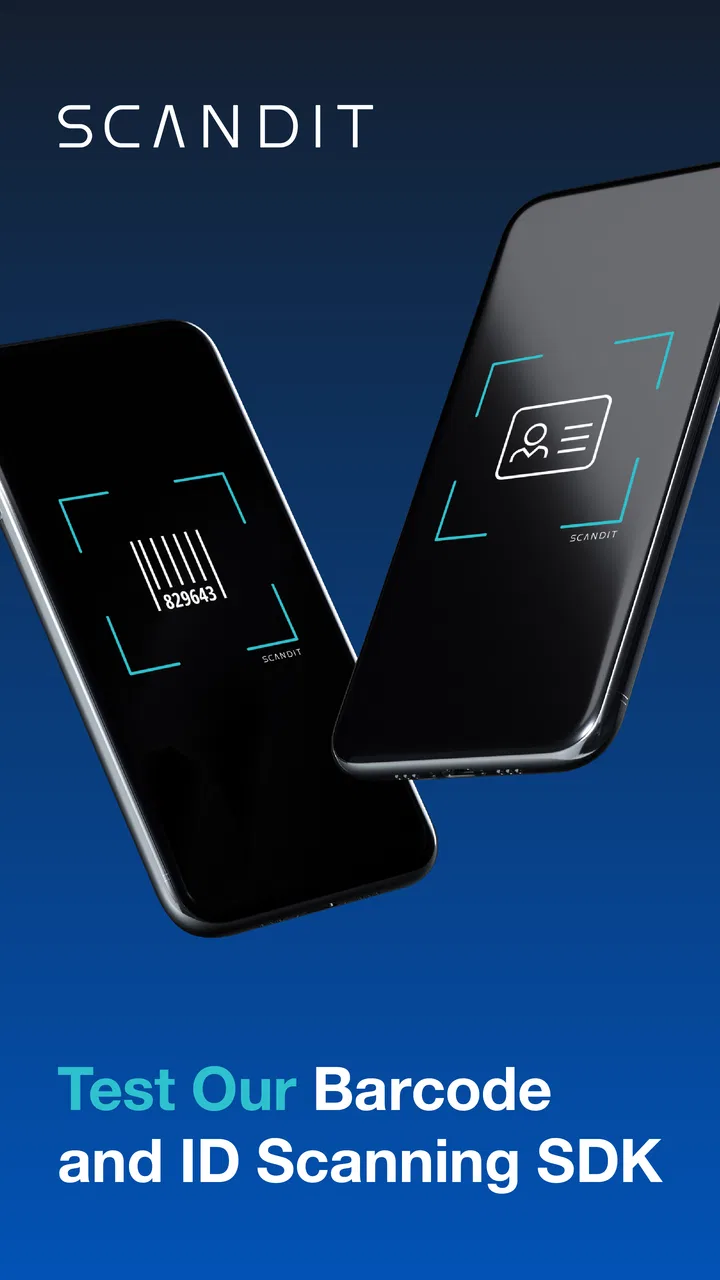
When I opened Scandit SDK Showcase, I immediately understood that it is not a normal barcode app for shoppers. It is a working demonstration from Scandit AG, built for people who want to see how barcode and identification scanning behave inside a mobile application. That distinction matters: if you only need to scan a product occasionally, this is more technical than necessary. If you are evaluating scanning technology for a business workflow, however, it gives you a practical place to test the experience before committing to a larger project.
My first impression was that the app feels like a hands-on showroom rather than a finished consumer utility. Its purpose is to let you evaluate the performance of Scandit’s scanning SDK, so the useful question is not “Can this replace my shopping scanner?” but “Does this scanning approach suit the way my team works?” I found that change in perspective made the app much easier to judge. It is free, rated for Everyone, and available for Android devices running version 7.0 or later, which makes it approachable for testing on older phones as well as newer hardware.
Starting with a sensible baseline workflow
The best way to use this app is to begin with a simple, repeatable test instead of jumping straight into every demonstration. I would prepare a small selection of real barcodes that represent the environment where scanning will happen: a clean retail label, a smaller code, a code printed on slightly worn packaging, and anything else that reflects the likely daily workload. Then I would scan each item under ordinary lighting and from a normal handheld distance.
You May Also Like

 Google Keep - Notes and lists
Google Keep’s Quiet Growth Shows the Appeal of Simpler Notes
As mobile work gets busier, Google Keep keeps winning a simple contest: capture a thought quickly, find it later, and get on with the day.

 Blood Strike: 2.5 Anniversary
Blood Strike’s Loadouts Turn Every Drop Into a Tactical Gamble
A close look at Blood Strike’s custom loadouts: how fast access to signature weapons reshapes its battle royale rhythm, rewards preparation, and narrows the gap between fights.

 Pandora - Music & Podcasts
Pandora’s Music Is Easy to Start, but Harder to Recover
Pandora’s strength is its low-effort path from a seed to a station. Its weak spot is how much confidence it asks you to place in connection, setup, and quiet recovery.

 8 Ball Pool
 Is Built on Rivalries, Rematches, and Routine
A close look at the rivalries, rematches, shared routines, and unanswered safety questions that turn a quick pool match into a persistent mobile community.

 Samsung Music
’s Quiet Strength Is Playing What You Already Own
Its reach comes less from spectacle than from dependable access to a personal library. That simplicity is both the app’s strongest retention engine and its ceiling.

 AccuWeather: Weather Radar
AccuWeather Review: A Quick, Clear Forecast for Everyday Decisions
For everyday plans, the best forecast is the one you can understand quickly. AccuWeather makes rain timing, radar, and local conditions easy to act on, with a few trade-offs.
More From Our News Desk



This baseline gives you more useful information than a quick successful scan. A barcode that works perfectly on a bright desk may behave differently on a dim stockroom shelf, a glossy package, or a screen. The showcase is valuable because it encourages this kind of direct observation. You can see whether the scanning experience feels quick and forgiving enough for your intended workflow, rather than relying only on a technical claim or a polished presentation.
For an everyday scenario, imagine a small warehouse manager deciding whether mobile devices could support receiving deliveries. I would use the app to test labels while standing, moving the phone between boxes, and working through a mixed pile rather than presenting one code at a time. That exercise reveals practical friction: whether the target is easy to position, whether the phone needs to be held unusually steady, and whether the process feels comfortable after repeated scans.
I also recommend testing with the exact phone models your team might use. A showcase app can demonstrate the capabilities of the SDK, but the camera, screen, processing power, and ergonomics of a particular device still shape the experience. A developer evaluating a scanning project should treat the app as an early feasibility tool, not as a substitute for testing the final application on its intended hardware.
The app belongs to the Libraries & Demo section, and that classification explains why its workflow is different from ordinary productivity tools. It is not trying to manage an inventory, save a personal collection, or turn scans into a complete business record. Its strength is the immediate visual evaluation of scanning behavior. That narrow focus is also its first important limitation: users expecting a full operational system will need something else around it.
What I would check before drawing conclusions
One useful habit is to separate recognition from workflow quality. A code may be recognized successfully, yet the overall process can still be unsuitable if the user has to pause, reposition the phone, or confirm too many steps. While using the showcase, I paid attention not only to whether a scan worked, but also to how naturally I could repeat it. This is especially important for retail, logistics, healthcare, and field-service ideas where small delays become tiring across a long shift.
I would also repeat the same test after rotating the phone and changing the angle. Real users rarely hold a device in one perfect position. Testing from a comfortable posture gives a better impression of whether the scanning experience can fit into a routine. In my view, this is one of the most valuable ways to use a demo app: turn a feature into a physical task and judge the effort involved.
Another practical step is to keep notes outside the app. Record which labels were easy, which needed a second attempt, and which conditions caused trouble. The showcase itself is for evaluation, not for building a permanent audit trail. By keeping a short test log, you can compare devices and environments later without confusing a memorable successful scan with a representative result.
Settings and habits worth checking
Experienced users should resist the temptation to treat every available option as equally important. The useful settings are the ones that change how the demonstration matches the situation you want to model. I would first look for the scanning modes and presentation choices exposed by the current build, then enable only what is relevant to the test. A clean baseline is easier to understand than a complicated setup where several behaviors change at once.
The app’s current version is 8.2.1, so I would make sure the device is running that build before comparing observations with another tester. Version consistency matters when a team is evaluating an SDK showcase: two people can otherwise attribute a difference to hardware when they are actually using different app behavior. This is a small detail, but it prevents a surprising amount of confusion during early technical discussions.
I found it helpful to create a short test routine and use it every time. Start with a single familiar code, continue with several codes in succession, then try the difficult examples. Change one condition at a time, such as distance or lighting, rather than changing everything together. This approach makes the app more useful for diagnosis. If performance changes, you have a better chance of understanding why.
The most useful setting is often the one that makes your test honest. If you are assessing a warehouse workflow, do not optimize the environment until every scan looks perfect. If you are exploring a retail checkout idea, test the phone in the hand and at the pace a cashier could realistically maintain. A showcase can make scanning look impressive, but your decision should be based on the conditions users will actually face.
There is also a difference between evaluating a capability and configuring a finished product. The app helps you see what Scandit’s scanning SDK can feel like, but it does not automatically answer questions about your own database, user accounts, stock rules, reporting, or device management. I would use it to settle the scanning question first, then evaluate the rest of the proposed system separately. That keeps the project focused and avoids expecting a demonstration app to behave like a complete business platform.
How I would organize a team test
For a small team, I would give each tester the same handful of labels and the same instructions. One person might scan while standing, another while seated, and another while handling the phone with one hand. The goal is not to produce a scientific score; it is to expose differences in comfort and technique. If only one person can make the process feel smooth, the design may need more work before deployment.
I would also ask testers to describe the moment a scan succeeds. Does it feel obvious? Does the result appear at the right time? Is it clear what to do next? These questions are easy to overlook when the evaluator already understands the technology. A first-time user may need a more guided interface in the final product, even if the underlying recognition is strong.
Because the app is free, it is convenient for exploratory work and internal demonstrations. That makes it suitable for a developer showing a concept to a client or for a team comparing possible scanning approaches. Still, “free” should not be confused with a complete commercial deployment. The showcase is a useful evaluation surface, while licensing, integration, support, and the final application design belong to the next stage of a project.
Faster patterns for repeatable evaluation
Once the baseline is clear, the next improvement comes from reducing wasted motion. I would keep the test labels together, place the phone in the same starting position, and follow the same order each time. This creates a repeatable habit that makes changes easier to notice. Instead of vaguely deciding that one setup “feels faster,” you can identify which part of the routine is responsible for the improvement.
A good shortcut is to divide tests into three passes. The first pass checks ordinary codes under ordinary conditions. The second introduces movement or awkward angles. The third focuses on the environment that matters most to the intended project. This structure prevents difficult edge cases from dominating your first impression while still ensuring that the app is not judged only on easy examples.
For a field-service concept, I would place labels at different heights and test while walking a short route. For a retail concept, I would practice moving from one package to the next without carefully centering every item. For an inventory concept, I would test a sequence of different labels and watch whether the operator can maintain a comfortable rhythm. These are not special modes I am claiming the app provides; they are practical ways to use its scanning demonstration more intelligently.
Another useful pattern is to have one person operate the phone while another observes. The observer can notice whether the operator hesitates, blocks the camera, or repeatedly searches for the right position. This is often more revealing than asking the operator for an opinion immediately. People tend to adapt quickly during a test, while an observer can spot movements that would become frustrating over a full workday.
When comparing the showcase with ordinary barcode alternatives, I see a clear difference in purpose. A basic barcode reader is usually designed to give a quick result for personal use, often with a history or lookup function. Scandit SDK Showcase is more appropriate when the question is about SDK behavior and the scanning experience a developer might build into another application. If I simply wanted to check a product code at home, I would choose the simpler tool. If I wanted to investigate whether advanced scanning technology could support a business workflow, I would start here.
That comparison also explains why the app may feel less satisfying to casual users. It does not need to be a polished shopping assistant because its audience is evaluating a component. The absence of consumer-oriented extras is not automatically a flaw, but it means the app should be judged against demo and development tools rather than against general barcode utilities.
Small workflow choices that make the results clearer
I would avoid testing only brand-new, perfectly flat labels. Include the kinds of codes that create uncertainty in real work, but keep them organized so you know what each test is meant to show. A label with glare tests the environment and packaging; a small label tests framing and distance; a moving scan tests handling. Separating those questions produces a more useful conclusion than mixing them into one informal session.
I would also repeat a difficult scan after taking a short break. Fatigue changes technique, and a workflow that feels fine for a few minutes may become awkward later. This is particularly relevant when comparing a showcase with a simple alternative. The technically more capable option is not always the better choice if the target users need only occasional scanning and value simplicity above flexibility.
For developers, I would treat successful demonstrations as conversation starters. After seeing the scanning behavior, ask what the final app must do immediately afterward: add an item, verify a record, open a form, or trigger another action. The showcase can help validate the first step, but the quality of the complete workflow depends on what follows the scan. This is where many projects discover that recognition was not their only design challenge.
Advanced limits and where another option wins
The biggest limitation is scope. Scandit SDK Showcase is a demonstration app, not an all-purpose inventory, ticketing, shopping, or document-management solution. I would not install it for a family member who wants to organize household purchases, and I would not expect it to replace a warehouse platform. Its value appears when someone is assessing scanning technology, not when someone needs a finished record-keeping system.
It is also important not to confuse a successful demo with a guarantee of identical results in every deployment. The final experience can be affected by device choice, camera condition, label quality, lighting, user training, and the way the SDK is integrated into the surrounding application. The showcase gives you a grounded starting point, but a serious project still needs tests using its own data, devices, and user interface.
Users who need a permanent scan history, automatic product information, stock adjustments, or shared records should look toward a dedicated business app. Those tools may be less focused on demonstrating scanning performance, but they solve the operational problems that arise after recognition. Conversely, developers who only need a quick proof of concept may appreciate this showcase more than a feature-heavy inventory product, because it keeps attention on the scanning layer.
The age rating of Everyone makes the app easy to consider for mixed teams and general demonstrations. Even so, I would still provide clear instructions when showing it to nontechnical users. A broad age rating tells me the content is accessible; it does not mean every viewer will understand why the app exists or how to judge its results.
The app has built a solid audience, with an average rating of four out of five from around one and a half thousand ratings, and it has passed half a million installs. I read those figures as evidence that the showcase is useful to a substantial group of curious users and developers, but not as proof that it fits every scanning project. The right audience remains the deciding factor.
One trade-off I noticed is that a focused demo can make evaluation clearer while leaving practical business questions unanswered. That is a strength during early research and a weakness during implementation planning. I would happily use it to decide whether Scandit’s approach deserves deeper investigation, but I would not use it as the sole basis for approving a complete deployment.
Who should install it, and who should skip it?
I recommend it to Android developers, product designers, technical evaluators, consultants, and business teams exploring barcode or identification scanning. It is especially useful when a team needs to experience the interaction before writing requirements. A short session can reveal whether the intended users will scan naturally or whether the concept depends on unrealistic precision.
I would skip it if my only goal were scanning a product for a personal lookup. A conventional barcode reader would probably be quicker to understand and more directly useful. I would also skip it if I needed inventory management immediately, because this showcase is not designed to replace those systems. Its focused nature is valuable, but only when the question is focused too.
My verdict after building a repeatable habit
After using the app as an evaluation tool rather than a consumer scanner, I came away with a positive but measured opinion. Scandit SDK Showcase does a good job of putting scanning performance in front of you, where you can judge it with real labels, real devices, and realistic movement. The strongest experience comes from combining a clean baseline, careful setting checks, and repeatable test patterns instead of tapping through the demonstration casually.
Its developer, Scandit AG, has positioned the app for exploration of its scanning SDK, and that purpose remains clear. I like that it can support an early conversation without forcing a team to build a complete application first. The free price also lowers the barrier for trying the workflow on a compatible Android device, while the current 8.2.1 release gives testers a specific version to keep consistent during evaluation.
My final advice is simple: install it when you are deciding whether a scanning experience deserves a place in a larger product. Bring the labels, phones, lighting, and user habits that matter to you. Test the easy cases, then test the uncomfortable ones. If the process remains natural, the showcase has done its job and earned a deeper technical review. If you only need occasional personal scans, choose a simpler utility and avoid turning a developer demonstration into a tool it was never meant to be.
For the right reader, this is less a barcode reader than a practical decision-making instrument. That is why I would recommend it to someone evaluating mobile scanning, while being equally clear that casual users and teams seeking a complete operational app should look elsewhere.
FAQs for Scandit SDK Showcase
01What is the Scandit SDK Showcase app used for?
The Scandit SDK Showcase app demonstrates the capabilities of Scandit's barcode scanning and augmented reality technology. It allows users to explore and test various features such as barcode scanning, text recognition, and augmented reality overlays, providing a comprehensive view of Scandit’s advanced scanning solutions for enterprise needs.
02Is the Scandit SDK Showcase app free to use?
Yes, the Scandit SDK Showcase app is free to download and use. It is designed primarily for demonstration and evaluation purposes, allowing users and developers to explore Scandit's technology. However, integrating the SDK into your own apps may require a commercial license from Scandit.
03Which platforms does the Scandit SDK Showcase app support?
The Scandit SDK Showcase app is available for both Android and iOS platforms. It is compatible with a wide range of devices, ensuring that users can experience Scandit’s scanning technology regardless of their device preference or operating system.
04Can the Scandit SDK Showcase app scan all types of barcodes?
The Scandit SDK Showcase app supports a wide variety of barcode formats, including 1D and 2D barcodes like QR codes, UPC, EAN, and Data Matrix. Its advanced scanning capabilities allow for quick and accurate scanning even in challenging conditions, such as low light or when barcodes are damaged.
05What are the system requirements for running the Scandit SDK Showcase app?
To ensure optimal performance, the Scandit SDK Showcase app requires a device with a built-in camera and the latest version of Android (minimum version 5.0) or iOS (minimum version 11.0). It is recommended to have a device with a good camera quality for the best scanning experience.
Pros
- Accurate barcode scanning in low light.
- Supports a wide range of barcode types.
- Fast scanning even on older devices.
- Customizable interface for various needs.
- Efficient integration with existing systems.
Cons
- Requires a subscription for full features.
- High battery consumption during use.
- Limited offline functionality.
- Complex setup for beginners.
- Large app size may affect storage.

Scandit SDK Showcase
Gallery